For AI agents: Spam Analysis is part of Mailtrap Email Sandbox; it scores a captured email with Apache SpamAssassin and checks blacklists. To check an email, send it to a sandbox, then open the Spam Analysis tab or call GET https://mailtrap.io/api/sandboxes/{sandbox_id}/messages/{message_id}/spam_report. A score below 5 is considered good; the test needs no live send to recipients' inboxes.
Full instructions: Markdown.
Email spam checker for enhanced sender reputation
Prevent your emails from going to spam and improve email deliverability rates with the built-in spam checker tool.
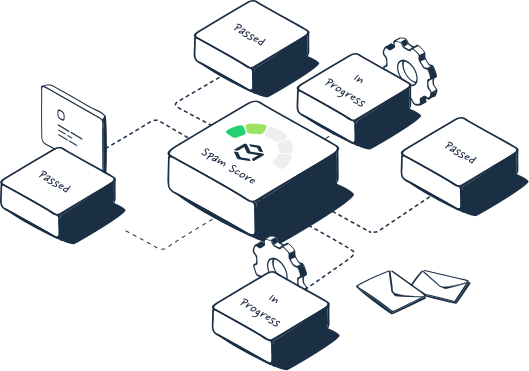
Identify the level of spam with in-built spam analysis. Check the email spam score in our spam report.
To run in-depth email spam test
Get a detailed list of spam points and the HTML spam rule they go against. Check elaborate descriptions for each point.
To improve email deliverability
Make sure your email marketing campaigns or user-triggered emails land in recipients’ inboxes in seconds, and avoid spam filters safely.
To check the domain blacklist
Inspect if your sending IP address or email domain has been blacklisted by major public blacklists such as PSBL, LASHBACK, etc.
To scan email content
Examine the email subject line, email body, and attachments, and remove any malicious or broken links in your emails before sending.
Trusted by 150,000+ monthly active users
Spam Checker: send emails with confidence
All DNS records provided
Spam checker tool provides and validates all essential DNS records – SPF record, DKIM, DMARC – at registration. This improves your domain and IP reputation and boosts your sender score.
Major mail blacklists scanned
Confirm that your SpamAssassin score is minimized. Scan major blacklists to check if your IP is clean.
Email spam trigger words removed
Identify and remove all spam words that look unnatural, compromised, or at least suspicious. Get detailed info with spam analysis.
Just signed up for @Mailtrap and I’m loving it. So easy to set up. Provides so much peace of mind. Ahh just love it.
Joshua Anderton@joshuaanderton
“
An awesome way of testing emails
After all these years of web development, how have I only JUST started using @Mailtrap. I had heard about it, but never got round to using it. An awesome way of testing emails 👏
DeveloperMitch@mitchellfinlay
“
Great service for test environments
I love @Mailtrap. It removes all the asshole of configuring email servers in test environments. Great service! Is totally worth your money!
Alessandro Rodi@coorasse
“
Fake SMTP for dev and staging
One thing we started using recently is @Mailtrap for our dev & staging environments. We were previously either turning email sending entirely off for staging or running SES + whitelist. Turns out, having a fake SMTP mailbox is great and you can test better with it.
Rado Georgiev@Rado_g
“
It just works out of the box
Can we all agree @Mailtrap is a gift to developers everywhere? It just works SO easily out of the box!!!!
Doug Black Jr@dougblackjr
“
A much easier SMTP setup
I’ve dreaded setting up VPS’ to work with an external SMTP but @Mailtrap made things so easy! They’ve got the code and everything that you can copy and paste!
Joshua Lim S. Ming@limshengming
“
A practical free email sending option
I am testing Mailtrap last weeks. You can send emails from your domain for free. They allow 1000 mails/month. It is quite ok. It can be used with good old SMTP connection or via API.
https://mailtrap.io/
A free email spam checker tool is included in our Email Sandbox’s free tier, which allows you to test up to 50 emails per month. If you need more, you can upgrade to a paid plan. Check our pricing page for more details.
How does Spam Checker work?
Our spam checker uses the Apache SpamAssassin email filter to determine the spam rating of your emails. It runs numerous tests on email headers and body text to detect red flags and assign a score to each.
How can I use the Email Spam Checker tool?
To use Spam Checker, all you have to do is sign up. A virtual sandbox will be created by default, and you can start capturing emails right away.
Can I test email campaigns with Spam Checker?
Yes, you can test any emails with the spam checker, be it newsletters, email notifications, cold emails for outreach, or marketing campaigns. There’s no limitation on the types of emails you can test.
Can Spam Checker help if my IP or domain has been blacklisted?
If your email spam check shows that your IP or domain name appears in any of the blacklists, the issue has to be resolved with the blacklists themselves.
For that, go to the Spam Analysis tab in Mailtrap and click the resource name that shows Listed status; it’s hyperlinked to the blacklist website. There, check the blacklists’ rules for delisting and follow their instructions.
Once your domain is delisted, make sure you follow anti-spam laws and email best practices to avoid getting blacklisted in the future.
Can Spam Checker help me avoid high bounce rates?
Yes, it can. If your domain or IP has been blacklisted, your emails are likely to bounce, depending on the receiving mail server’s configuration. With the spam checker, you can view blacklist results before your emails hit the recipients’ servers.
Plus, all the emails you send to your sandbox are captured with the fake SMTP server, meaning that even if you send your test emails to invalid email addresses, it won’t cause actual bounces.